Open loops: the scriptwriting technique that keeps viewers to the end
There's one mistake that makes open loops actively hurt your retention instead of helping it. Most creators who "use open loops" are making it right now, and I'll show you exactly what it is before this article ends.
That sentence you just read is an open loop, and you can feel it working. You now have a small, specific itch that only the end of this page can scratch, and notice that it doesn't feel like clickbait. It feels like a promise with a due date. That distinction turns out to be the entire craft, and by the end of this post you'll know how to build the same pull into every video: what loops actually are, where they go, real examples with timestamps from videos with tens of millions of views, and yes, the mistake.
You may also notice I just did it twice.
What an open loop actually is
An open loop is a promise of a specific payoff at a known-later point. You raise a question or tease an outcome, you deliberately don't resolve it, and the unresolved thing sits in the viewer's head, quietly pulling them forward through the video.
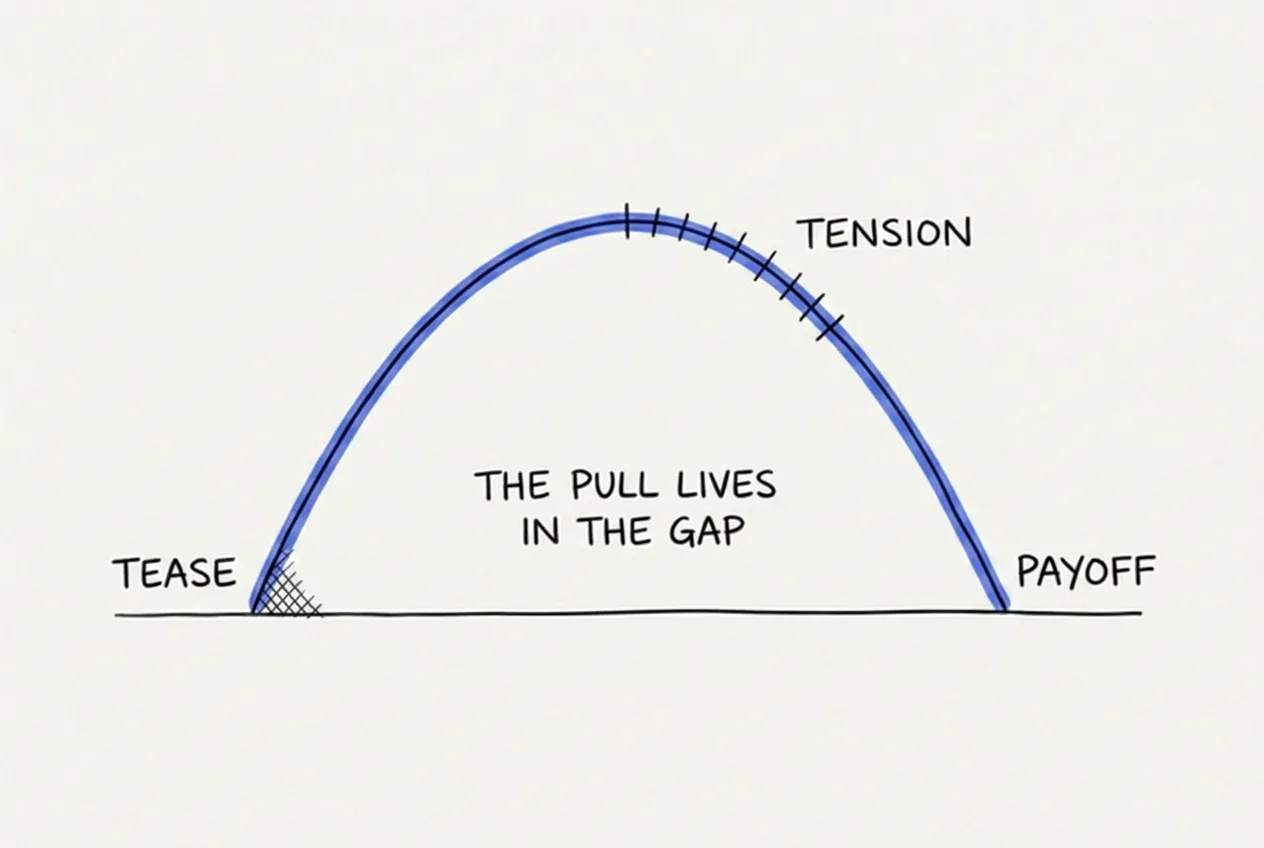
One loop: plant, carry, close. The pull lives in the gap.
The reason this works is both mundane and powerful: brains hate incomplete patterns. You don't need a psychology paper to believe that, because you've felt it every time an episode of your favourite Netflix show ends on a cliffhanger.
It's also worth drawing the line between a loop and clickbait, because they're built from the same parts. A loop you close is tension; a loop you never close is betrayal. Clickbait opens a loop it can't pay off. A good script opens loops it's proud to pay off. It's the same mechanism with opposite reputations.
The placement system
Most advice stops at "use open loops," but the craft is really in the placement. A well-looped video runs loops at three different scales at once.
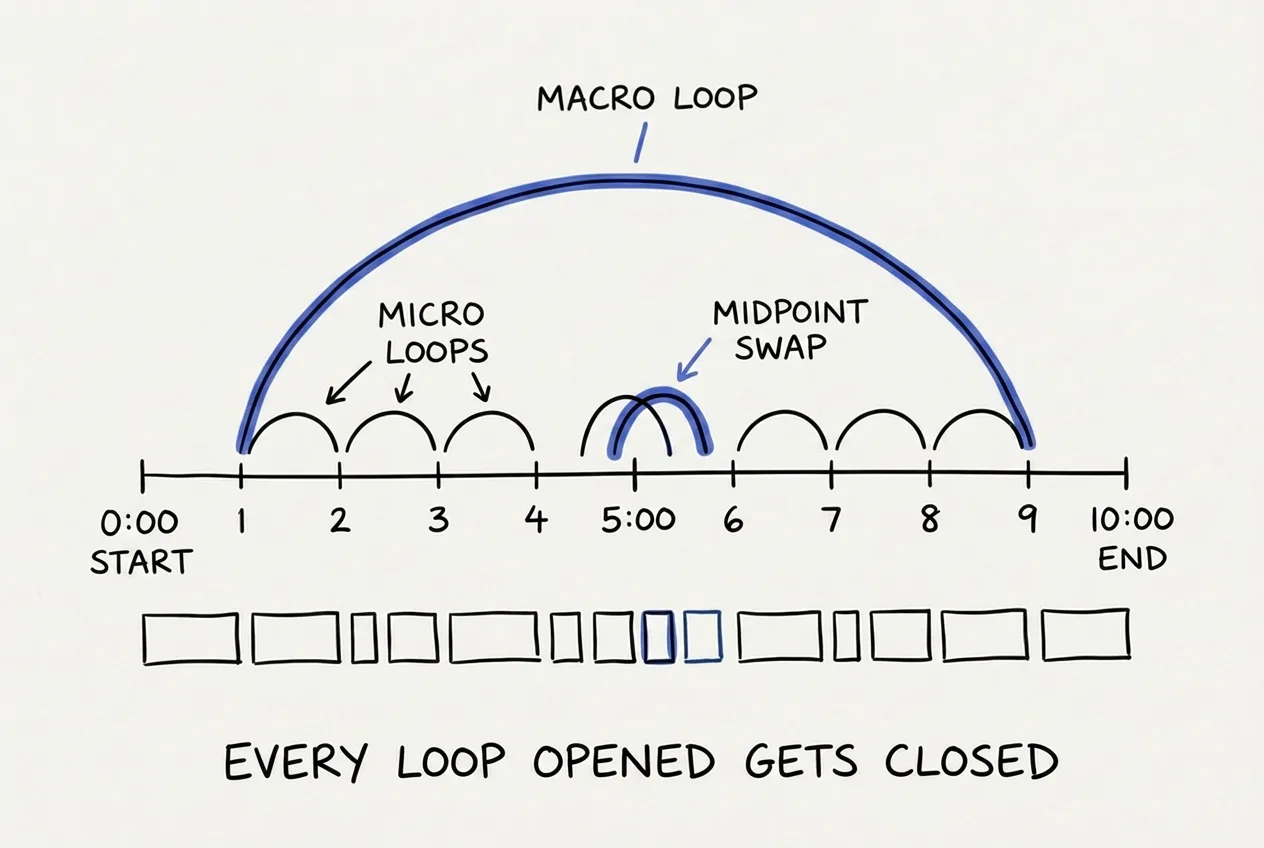
The placement map: one long arc, small arcs between sections, and a fresh plant at the midpoint.
The first scale is the macro loop, which is your most valuable tease, planted in the first third of the video and closed in the final third. This one is the video's spine: the question your title raised, sharpened by the hook, and held open for as long as you can honestly hold it.
The second scale is the micro loop. Every body section should end by opening the next one, with something as simple as "which worked, until it didn't." These are small, cheap, and relentless, and they matter because a section that resolves cleanly with nothing left open is a polite exit sign, and polite exits are a big part of why viewers stop watching a video that otherwise seemed fine.
The third is the midpoint swap. Somewhere between 50 and 60% of the runtime, close one loop and open a fresh one in the same beat. Attention naturally sags in the middle of every video, and the swap both rewards the patient viewer and re-arms the pull in a single move. If you've read about the Retention Blueprint, this is the re-engagement beat, built out of loops.
And over all three scales sits one iron rule: every loop you open gets closed before the video ends. No exceptions. Track them like debts, because your viewers certainly do.
Watch two masters run it
Let's look at how two of the best creators on YouTube actually place their loops, with timestamps, so you can check everything I'm about to say.
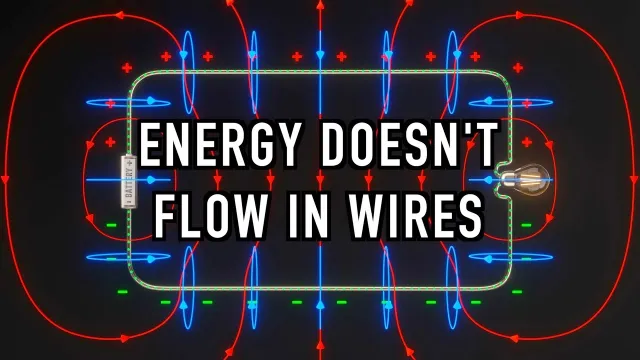
At 0:24, Derek poses a concrete multiple-choice question about a thought-experiment circuit. Then he arms it, asking you to commit your answer in the comments "so you can't say, oh yeah I knew that was the answer." The reveal doesn't arrive until 11:39, which means one loop stays open for eleven minutes of a fifteen-minute video, and it's load-bearing: the entire physics lesson lives inside the gap between the question and its answer. Watch for the second plant at 10:02 as well, where a seemingly academic topic suddenly gains real stakes through the story of an undersea cable disaster in 1858. That's a fresh loop arriving late in the video, exactly when the first one is about to close.
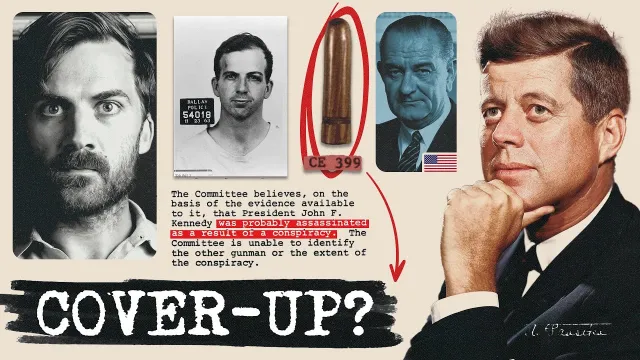
Harris is probably the most loop-dense scriptwriter working, and this video is a clinic in nesting loops at different scales. At 8:29 he plants one with a literal memory flag, telling you to "just remember that advice." Five minutes later, at 13:18, the callback lands, and the advice he flagged turns out to be the causal hinge of the entire story. Meanwhile he runs quick loops inside the long ones: at 8:11 a small loop opens with "I'll explain why in a sec" and closes just 24 seconds later, while the video-length thesis loop from the cold open stays pending until minute 24. Those fast little loops do real work, because every quickly-closed loop builds your trust that the big one will pay off too.
Three habits are worth stealing from both creators. They tell you roughly when the payoff is coming, they close small loops quickly to earn credit for the big one, and every single plant pays off eventually.
How to write them
The most useful mindset shift is this: loops are a planning object, not a prose flourish. Mark them in your outline before you write any sentences, the same way you'd plan every other beat in the full YouTube scripting system, noting which section plants each loop and which section closes it. If you can't point at the close, you're not allowed the plant.
When you get to the prose, plant templates look like this: "The third one is the strangest, and it's not what you think." Or "This worked perfectly. For eleven days." Or "Remember this detail, because it matters more than anything else in this video." And the closes mirror them: "Remember that detail I flagged? Here's why it mattered." Or simply returning to the question from the start and answering it.
These templates read a little bare on the page, and that's fine. Spoken in your voice, inside real content, they disappear into the script, which is exactly what you want. Loops should be structural rather than audible.
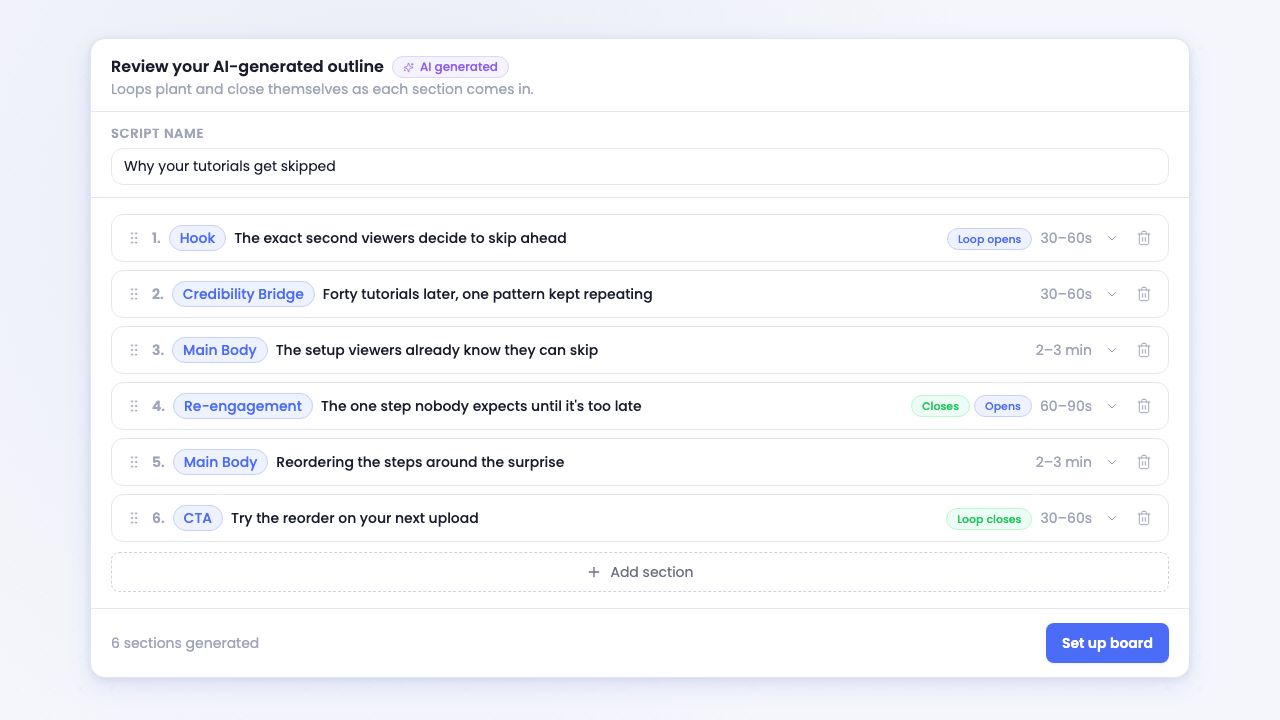
This is how I track loops in ScriptGraph, the tool I built: opens and closes marked as typed talking points, so every debt stays visible.
When loops backfire (and yes, I'm about to close my own)
Loops fail in four escalating ways, and knowing them is what separates tension from annoyance.
The gentlest failure is having too many open at once. Three or maybe four pending loops is the ceiling, because past that point viewers stop tracking them and the pull turns into noise. Next is closing too late: a loop's pull decays over time, and while Veritasium's eleven-minute hold works because the whole video visibly serves that one question, an eleven-minute hold on a side detail just reads as you forgetting. Then there's the payoff weaker than the tease, where the plant promised "the mistake that ruins everything" and the close delivers "be consistent." Viewers feel that exchange rate instantly, and what they unsubscribe from is your credibility.
And the worst failure is the mistake from the very first sentence of this article: opening loops you never close. It's genuinely worse than using no loops at all, because an unclosed loop converts curiosity into distrust, and distrust follows your channel around. The viewer may never consciously notice the missing payoff. They'll just start describing your videos as "clickbaity" without being able to say why.
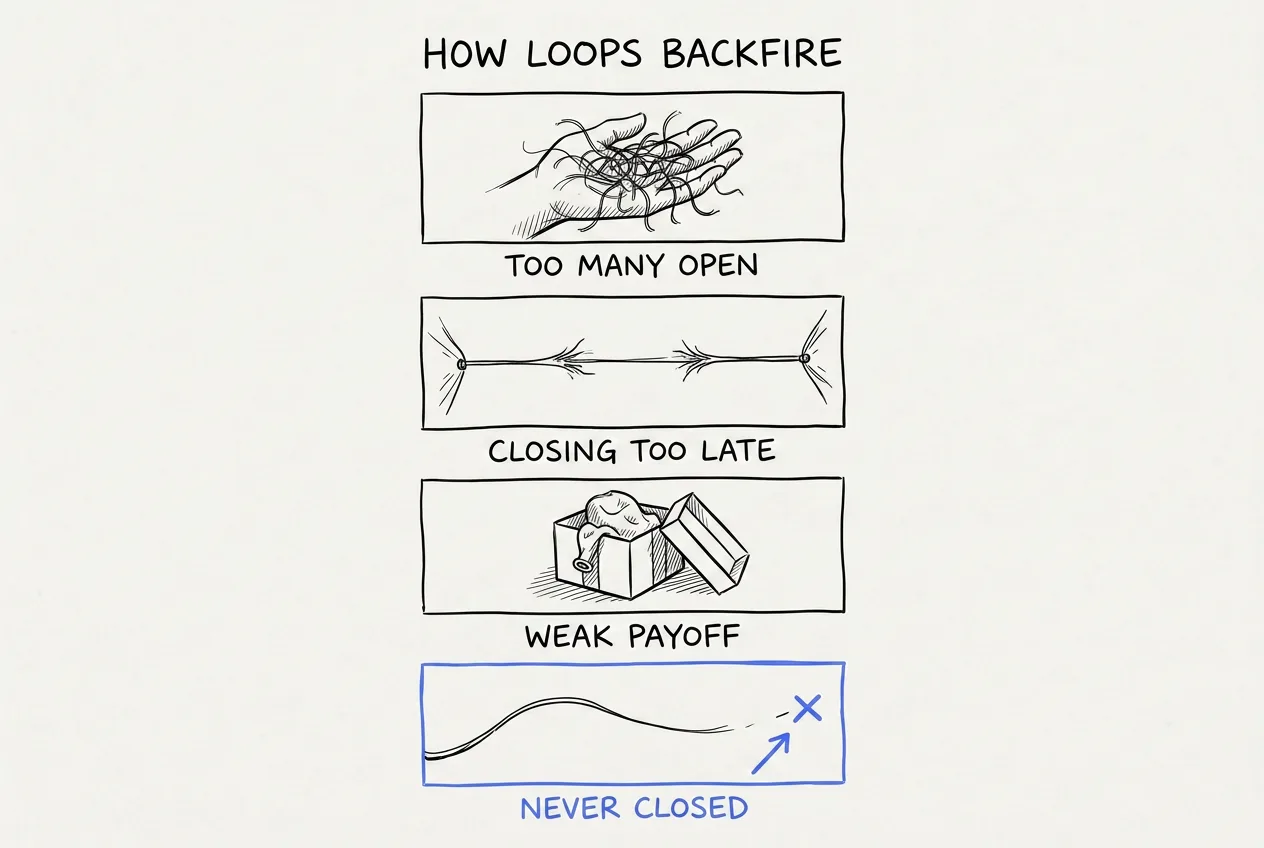
Four ways it goes wrong. The bottom one is the mistake this article opened with.
There it is. Loop closed.
The bookkeeping problem, and what I did about it
Now for the honest cost of everything above. If you run the placement system by hand, you're maintaining a ledger: which loops are open, where each one closes, and whether the midpoint swap still lines up after you rewrote section three. Every edit can silently orphan a loop, and an orphaned loop is exactly the backfire we just covered. It's real bookkeeping, and it's the least creative work in all of scriptwriting. It also never ends, because every new video opens a fresh ledger.
That bookkeeping is precisely why I built ScriptGraph. You describe your video to ScriptGraph and it generates an outline with loops already planted and closed for you: every open marked, every close linked to it, threaded through the sections at the right spots. And because the structure carries the loops rather than your memory, they survive every rewrite.
Loops as data: planted, threaded, and closed automatically. The ledger keeps itself.
Try it free, and never forget to close a loop again.
Quick answers
What is an open loop in a YouTube video? An open loop is a promise of a specific payoff at a known-later point in the video. You raise a question or tease an outcome, deliberately leave it unresolved, and that open question sits in the viewer's head and pulls them forward. It works because brains dislike incomplete patterns, the same pull you feel when an episode of a show ends on a cliffhanger. The rule that separates a loop from clickbait is that every loop you open is one you close, because an unclosed loop reads as betrayal rather than tension.
How many open loops should a video have? There is no single right count, but there is a ceiling on how many can be open at the same time. Three, or at most four, pending loops is the limit, because beyond that viewers stop tracking them and the pull turns into noise. A well-built video actually runs loops at three scales at once: one long macro loop across the whole video, small micro loops between sections, and a fresh one planted at the midpoint. The real rule is not the number but the discipline that every loop you open gets closed before the video ends.
Every loop this article opened is now closed, and that's really the whole technique: make specific promises, carry them honestly, and pay off every one of them. Build that into your scripts and your viewers will stay to the end for the same reason you just did.
Adi
P.S. Loops start life inside the hook. Six real hooks, dissected line by line, if you want to see the plants up close.
50%
off · life
Founding Member offer · live now
Script your next YouTube video in 30 minutes
The first 100 subscribers lock in 50% off, for life.
Adi
Founder of ScriptGraph and part-time YouTuber since 2020.
Check out my channel